



Description
Built for Lean Six Sigma professionals who run real DMAIC projects.
If you’ve ever lost half a day formatting a SIPOC diagram, recreating a fishbone in PowerPoint, or building a Sigma level calculator from scratch — this DMAIC Toolkit excel ends that. Every template inside is designed by a practicing Lean Six Sigma practitioner and is ready to drop into your next Green Belt or Black Belt project.
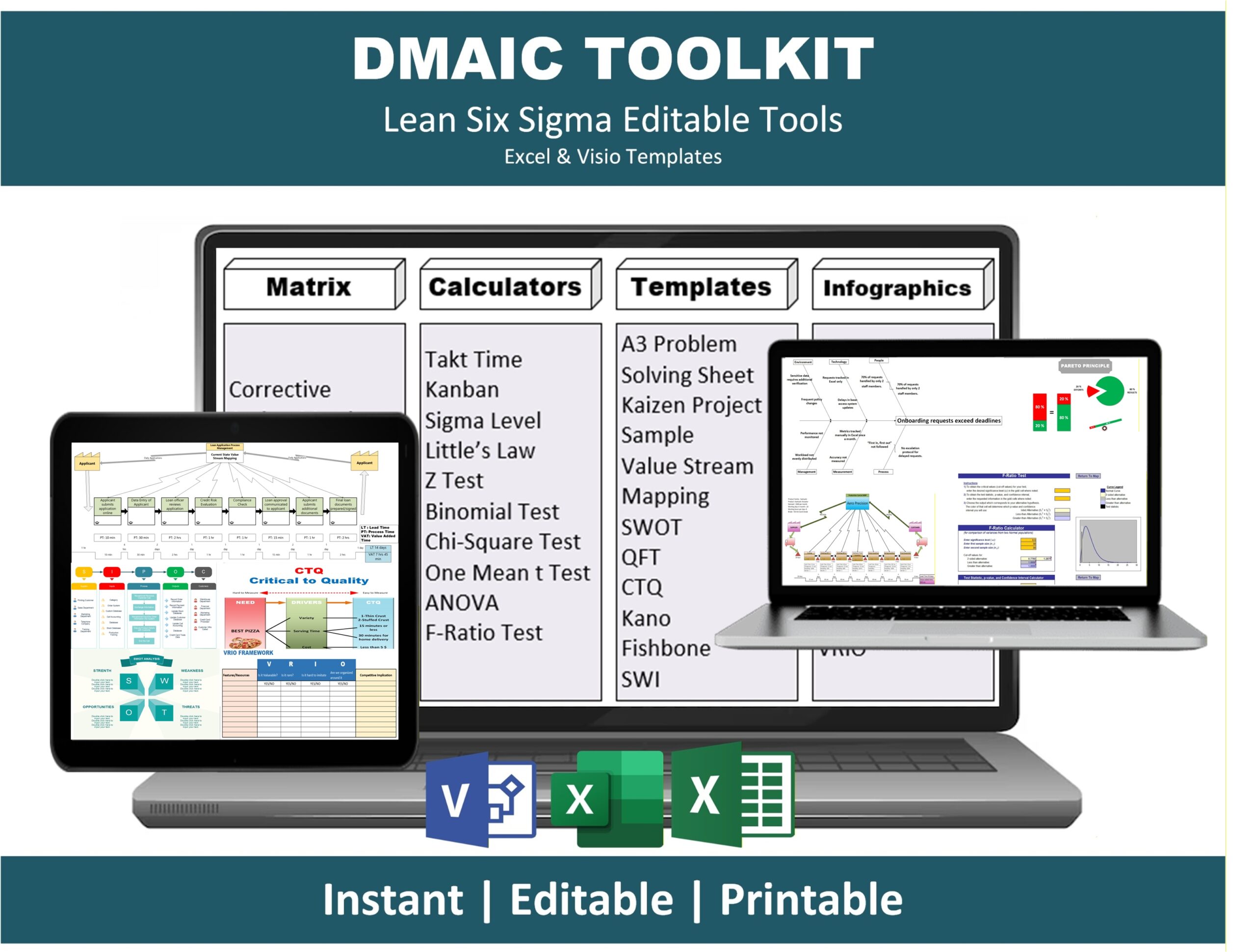
The DMAIC Toolkit covers all five phases of the DMAIC methodology with editable Excel and Visio files. Whether you’re a Six Sigma student working on certification, a process engineer tackling a real bottleneck, or a consultant delivering client work, this toolkit cuts your project setup time from days to minutes.
What’s included in the DMAIC Toolkit
📊 Define & Measure phase tools
- SIPOC Diagram template
- Voice of the Customer (VOC) capture sheet
- Critical to Quality (CTQ) tree
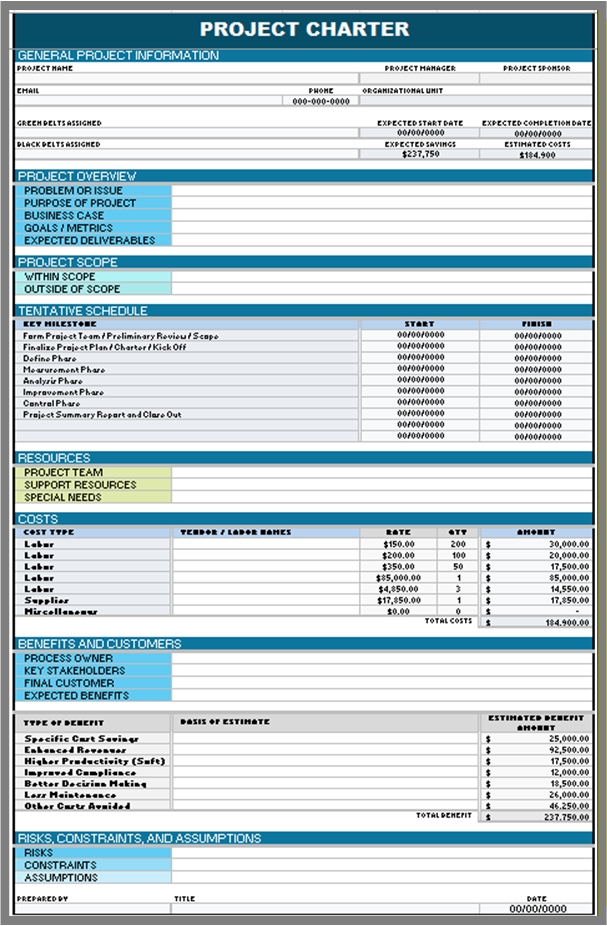
- Project Charter template
- Stakeholder Analysis matrix
- SWOT Analysis template
- Kano Model template
- Data Collection Plan
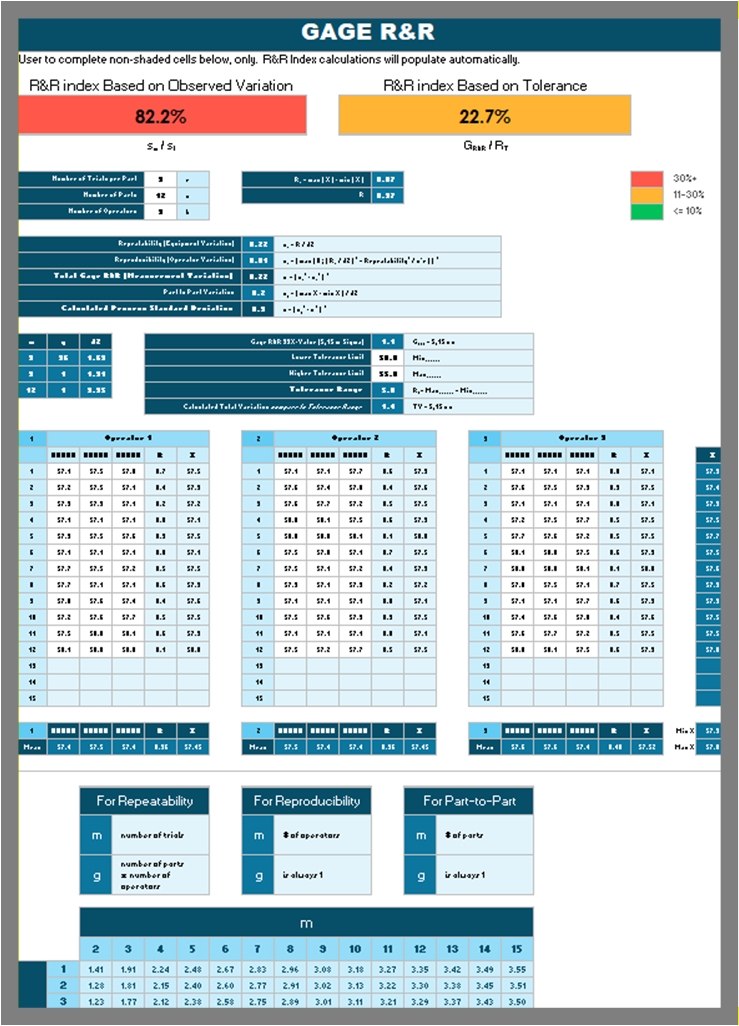
🧮 Analyze phase — statistical calculators in Excel
- Sigma Level Calculator (DPMO → Sigma)
- Takt Time Calculator
- Little’s Law Calculator
- Kanban Sizing Calculator
- One-Sample Z-Test
- One-Sample t-Test
- Binomial Test
- Chi-Square Test of Independence
- ANOVA (single factor)
- F-Ratio Test
- Pareto Chart generator
- Histogram with normal curve overlay
🔧 Improve phase — root cause and solution tools
- Fishbone (Ishikawa) Diagram template
- Cause-and-Effect Matrix
- Corrective Action Matrix
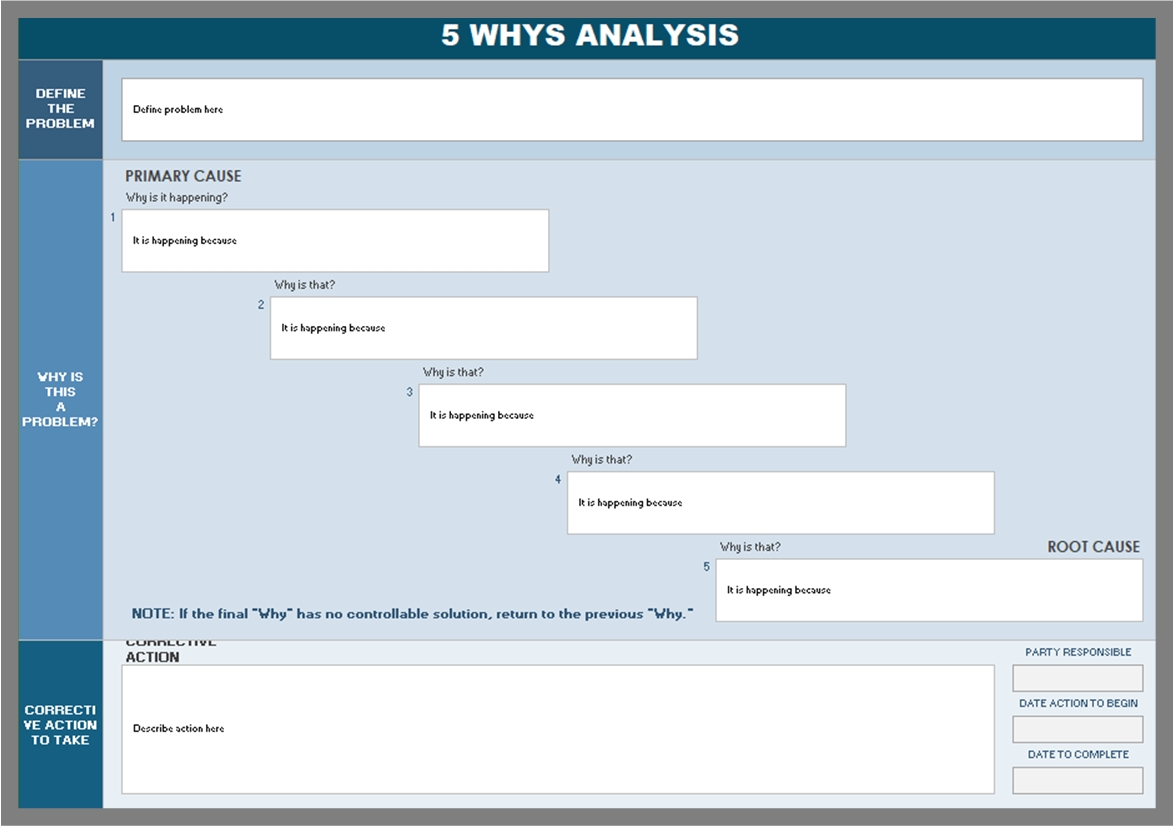
- 5 Whys Analysis sheet
- A3 Problem Solving sheet
- Kaizen Event template
- Quality Function Deployment (QFD) / House of Quality
📈 Control phase — sustain the gains
- Standard Work Instructions (SWI) template
- Control Plan template
- Process Map / Swimlane diagram (Visio)
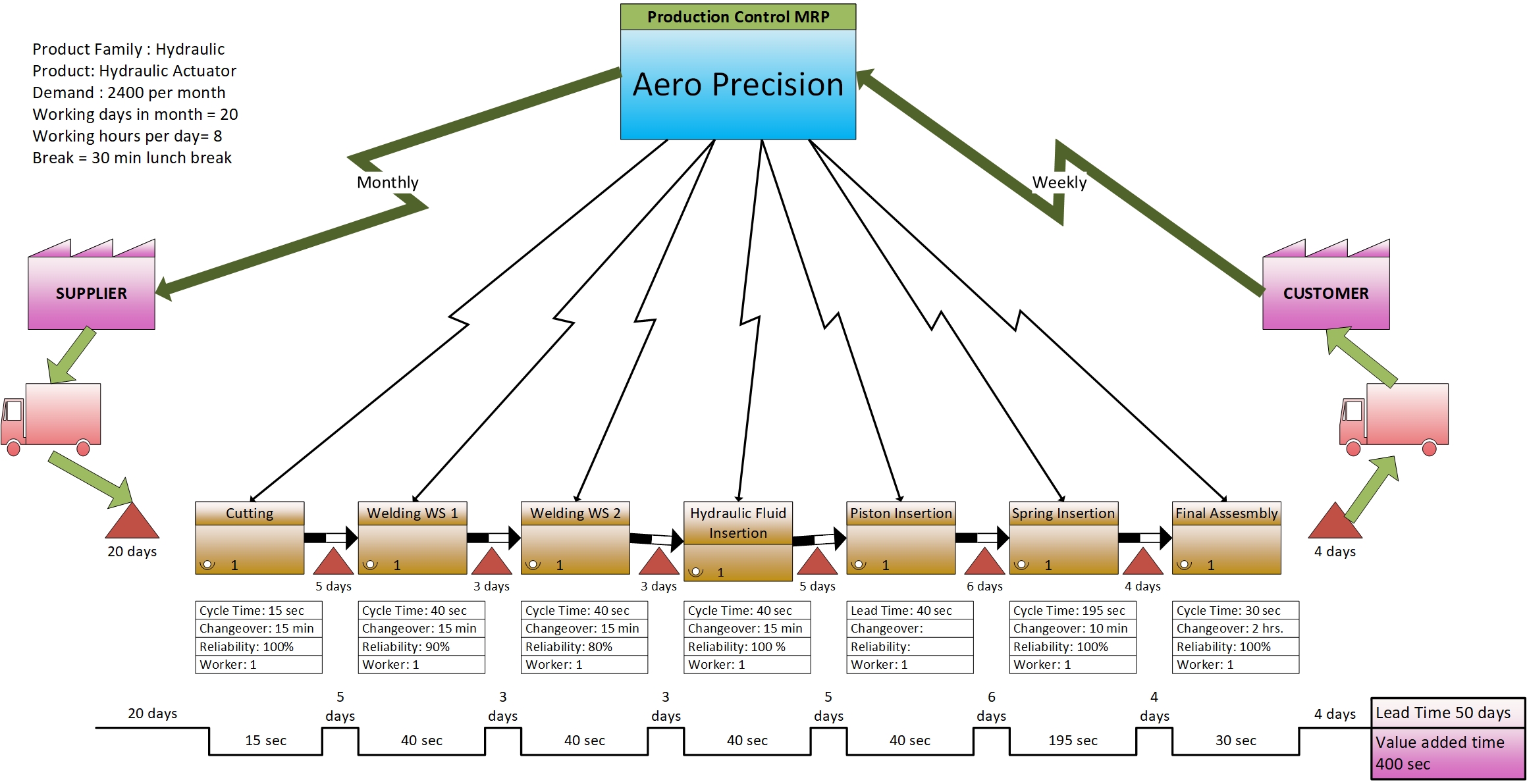
- Value Stream Map current & future state (Visio)
🎨 Visio infographics
- DMAIC Phase Flow diagram
- Lean & Six Sigma overview infographics
- Management & training visuals
Who this DMAIC Toolkit is for
- Six Sigma Green Belts and Black Belts running certification or workplace projects
- Manufacturing and industrial engineers tackling production issues
- Quality and continuous improvement managers
- Operations and supply chain professionals
- Lean Six Sigma consultants and trainers delivering client engagements
- Engineering and operations students learning the DMAIC methodology
Why buy this DMAIC Toolkit instead of building your own?
- Editable — every Excel and Visio file opens, edits, and saves like any normal file. No locked cells, no add-ins required.
- Practitioner-built — designed by someone who has actually used these tools on the shop floor, not a stock template seller.
- Visually professional — clean layouts you can present to executives without reformatting.
- Time savings — what takes 3–4 hours per phase to build from scratch is already done.
- Instant digital download — files are available immediately after purchase.
Frequently asked questions
Q: Does this work in Excel for Mac? A: Yes. All Excel files use standard formulas and formatting that work in Excel for Windows and Mac. No macros are required.
Q: Do I need Microsoft Visio for the Visio templates? A: The Visio files are best opened in Microsoft Visio, but they can also be opened in free alternatives like Lucidchart and draw.io with minor formatting differences.
Q: Can I use this DMAIC Toolkit for my Six Sigma certification project? A: Absolutely. The toolkit is designed to support Green Belt and Black Belt certification projects. Many of our buyers use it to complete their final certification project.
Q: Are the templates editable? A: Fully editable. You can add your company logo, change colors, adjust formulas, and customize every template for your industry.
Q: How do I receive the files after purchase? A: You’ll receive an instant download link by email immediately after checkout. Files are also available in your account area.
Q: Do you offer a refund if it’s not what I need? A: Yes — if the toolkit doesn’t fit your needs, contact us within 7 days for a full refund.
Related Lean Six Sigma tools you may need
If you want a deeper dive into any single DMAIC tool, check out our standalone templates:
- A3 Problem Solving Template Excel
- Value Stream Mapping Excel Template
- 7 QC Tools Excel Template
- OEE Dashboard Excel
Get instant access — click “Add to cart” above to download the complete DMAIC Toolkit.
Reviews
There are no reviews yet.